See FundEd from both sides.
Follow the student journey from discovery to comparison, then see how donors and institutions turn engagement into useful outreach and better scholarship information.
Student experience
Turn a long list into a confident shortlist.
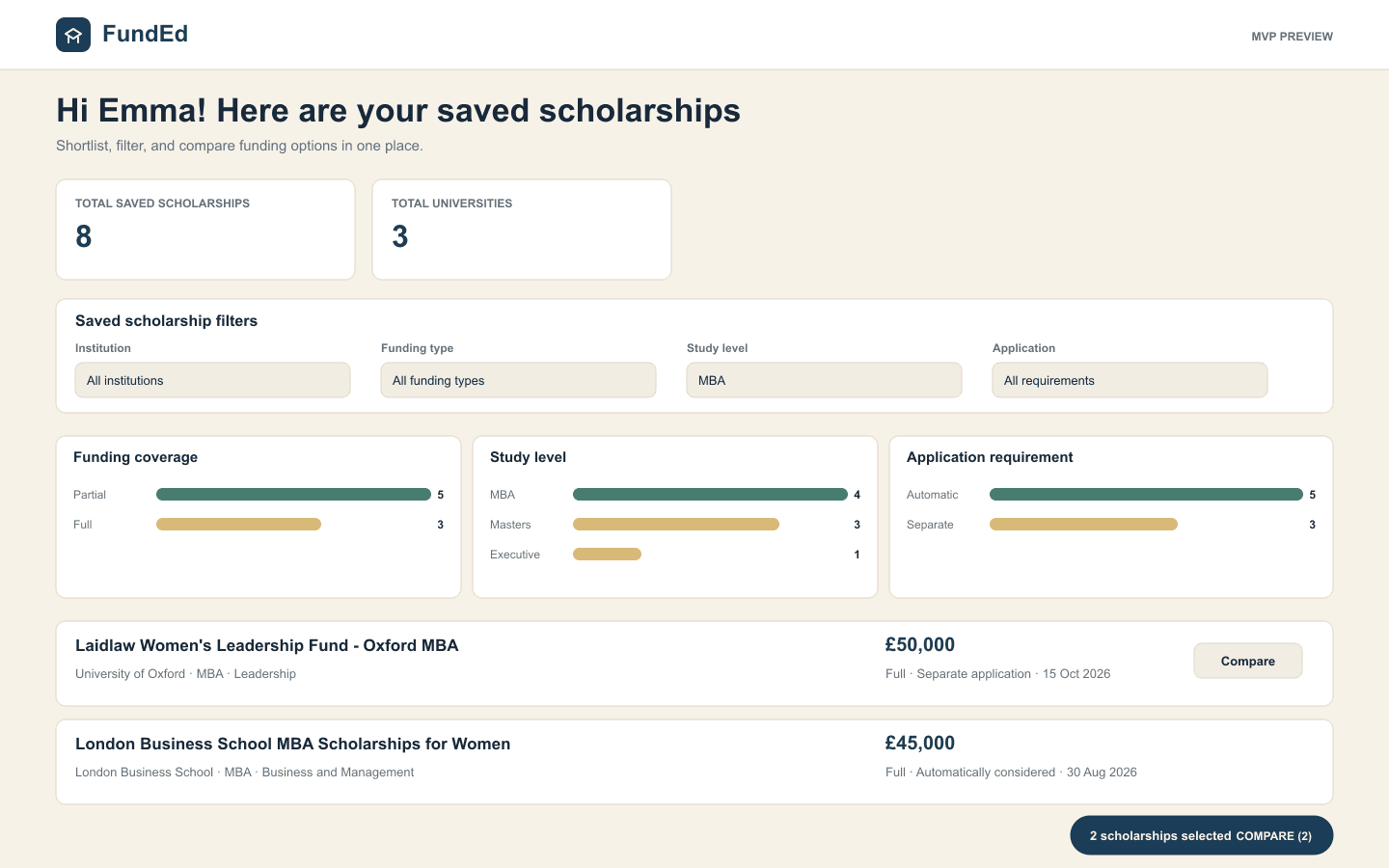
For students, FundEd means less tab-hopping and fewer hidden trade-offs. The saved dashboard keeps funding, fit, deadlines, and application mechanics visible in one working view.
Step 1
Search scholarships
Start with every scholarship visible, then apply country, institution, study level, funding, deadline, and eligibility filters together.
Step 2
Build a shortlist
Use the heart action to save relevant opportunities and keep personal notes beside each scholarship.
Step 3
Compare what matters
Select up to four scholarships and compare funding, coverage, deadlines, eligibility, degree level, and application requirements side by side.
Donor experience
Understand interest before outreach begins.
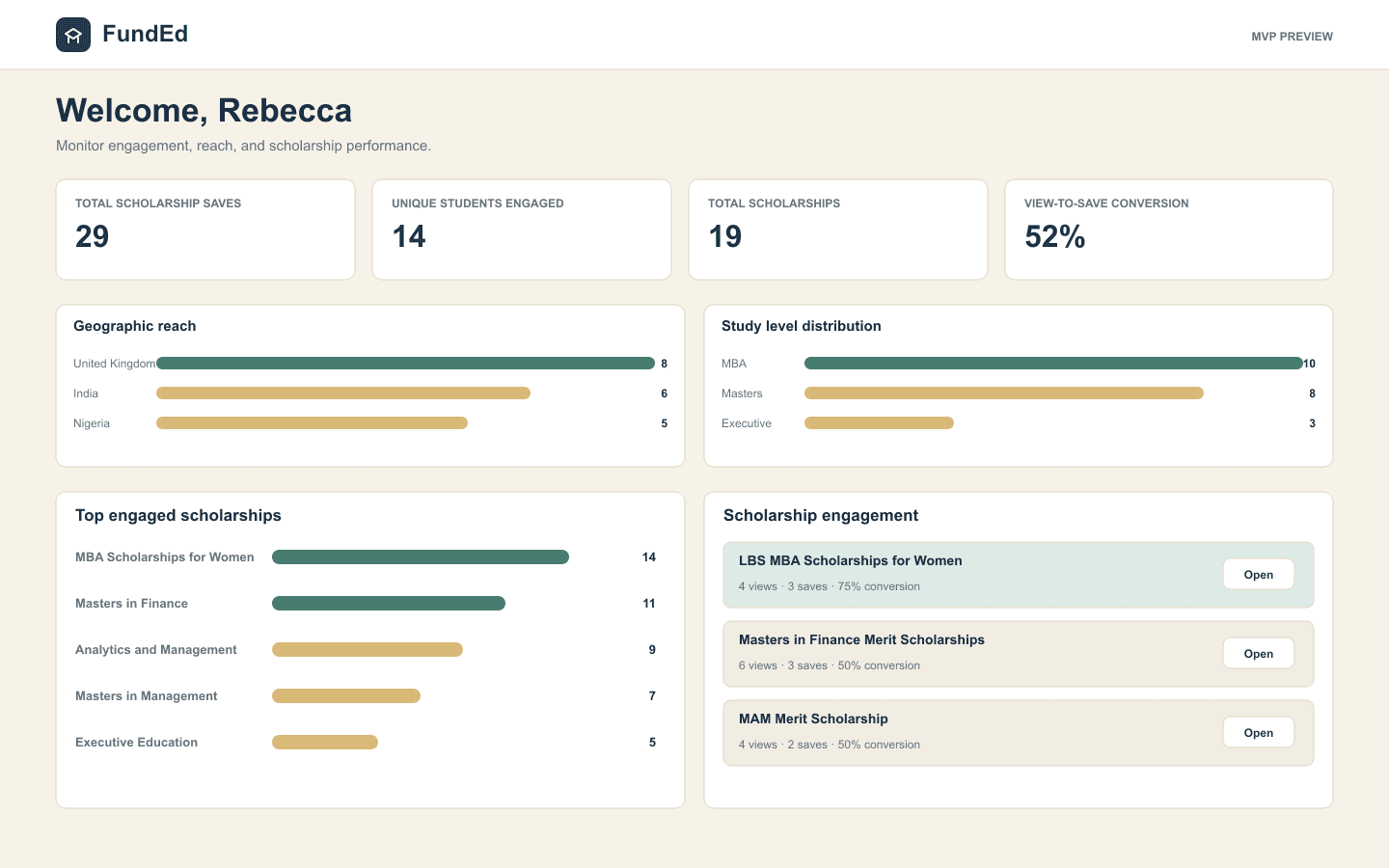
For donors and institutions, FundEd turns scholarship discovery into practical demand signals while keeping student consent and FundEd approval at the centre of the workflow.
Step 1
Read demand signals
See unique views, saves, conversion, geography, study-level interest, and the scholarships generating the strongest engagement.
Step 2
Open a prospect view
Open any linked scholarship to review students who viewed or saved it, with identity details shown only where consent allows.
Step 3
Keep information current
Managers can request scholarship additions or updates while FundEd retains final approval before public data changes.
Ready to explore